Free Chrome extension
Read faster, one word at a time.
JK RapidReader shows text one word at a time, in one spot, with a red letter to fix your eye on. Save articles, books and feeds to a library on your own computer, listen to them, and ask AI about them: with your own key, or with free AI that runs on your computer.
Chrome, Edge, Brave and Arc · No account · Nothing is sent to us
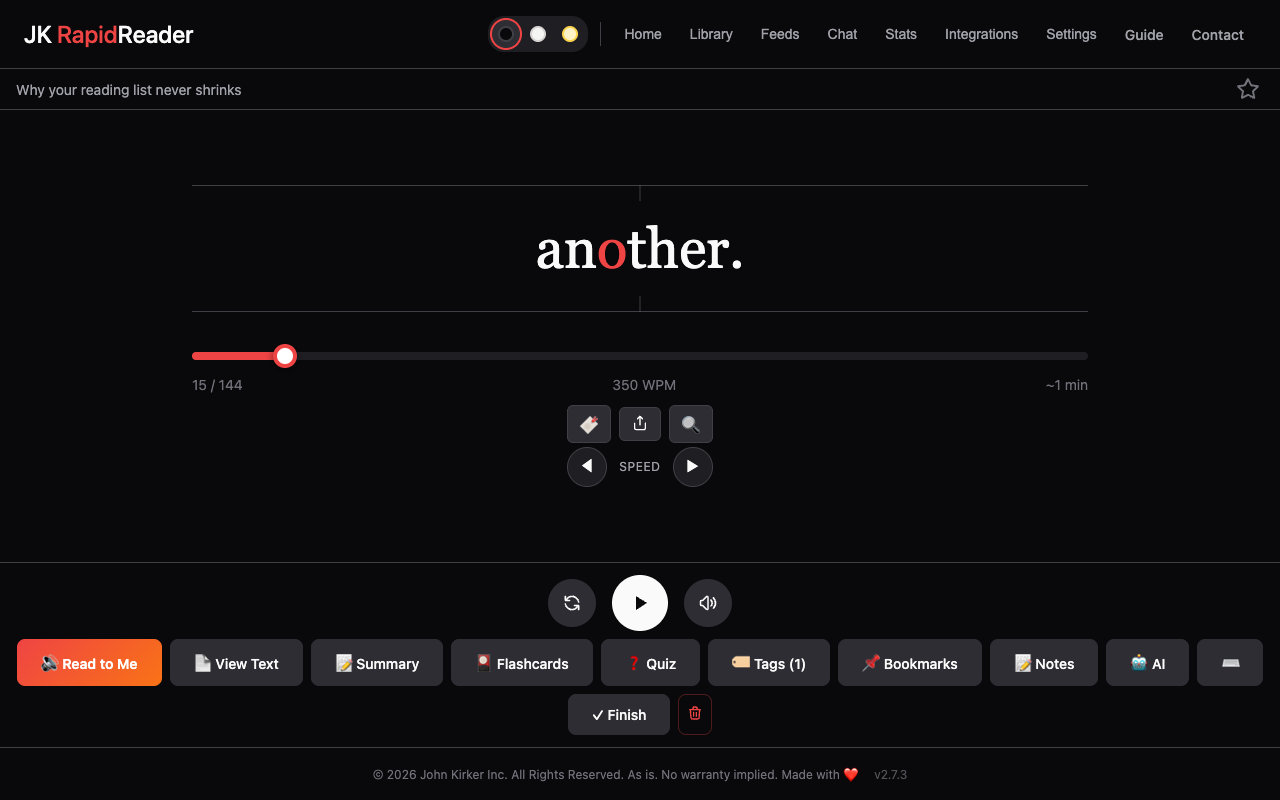
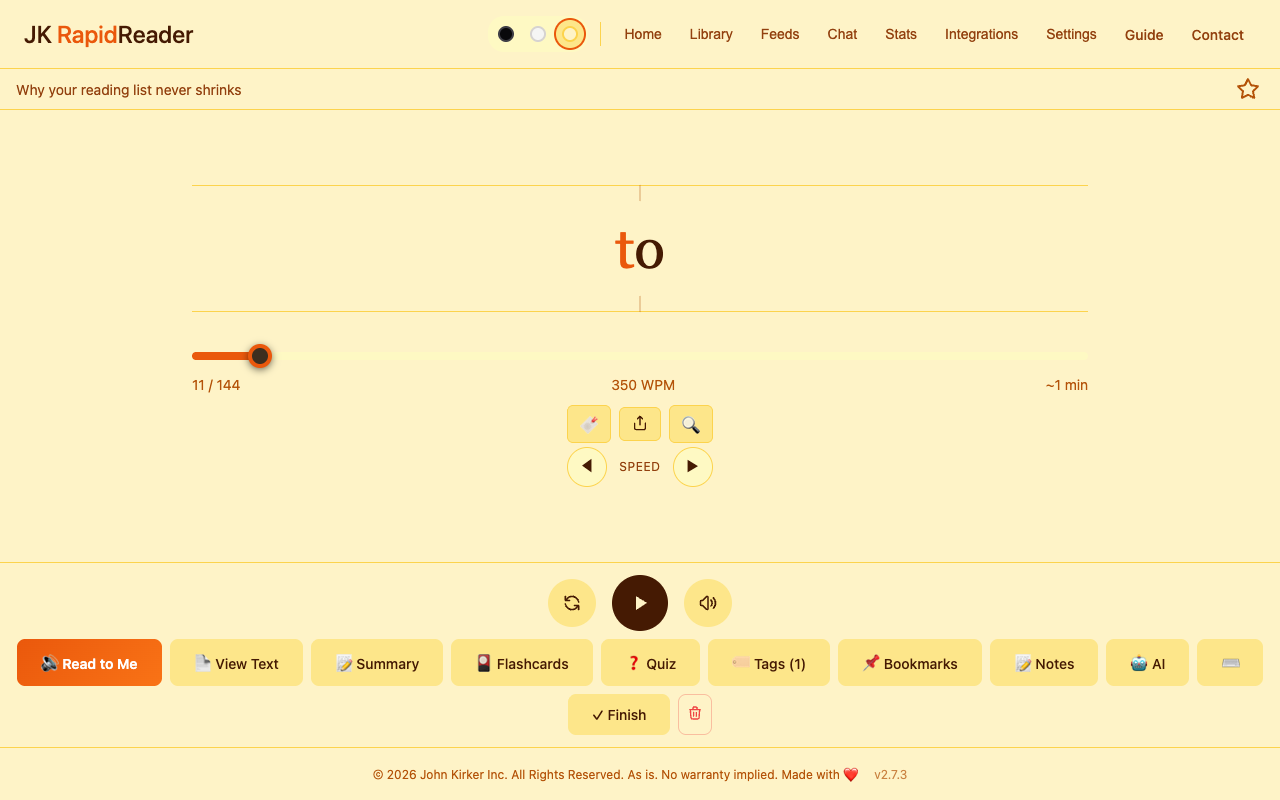
This is how RapidReader reads. One word at a time, in one place, so your eyes stay still. The red letter gives your eye somewhere to land. It slows a little at commas, and a little more at the end of a sentence. Pick a speed below, or save anything you meant to read and try it on that.
The reader, running on this page. Try a speed.
01 — Read
One word, one place, no clutter.
Your eyes stop jumping along lines and the page around the text disappears. You set the pace, and slow down whenever something matters.
- A focus letter in each word, held on the centre line
- Natural pauses at commas and full stops
- Warm-up from a comfortable speed to your target
- Chapters, search and View Text for the whole page at once
02 — Save
Anything you meant to read, in one library.
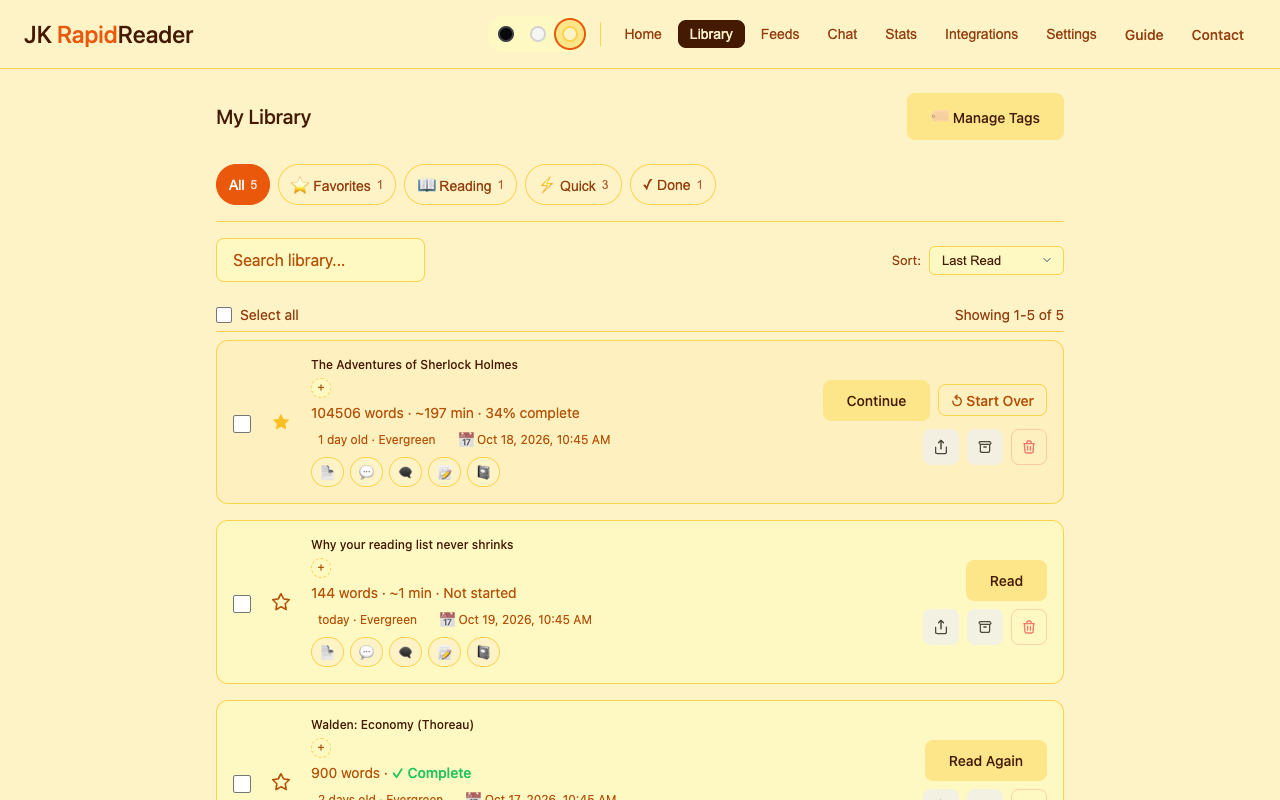
Highlight text and right-click. Add a link without opening it. Import PDFs, EPUB books and Word documents. It all lands in one searchable library.
- Right-click a selection, a link or the page
- PDF, EPUB, DOCX, RTF, Markdown, text and HTML
- Search, tags, favourites and a five-minute Quick filter
- Freshest First sorting, so old news sinks
03 — Follow
Keep up with sites without keeping tabs open.
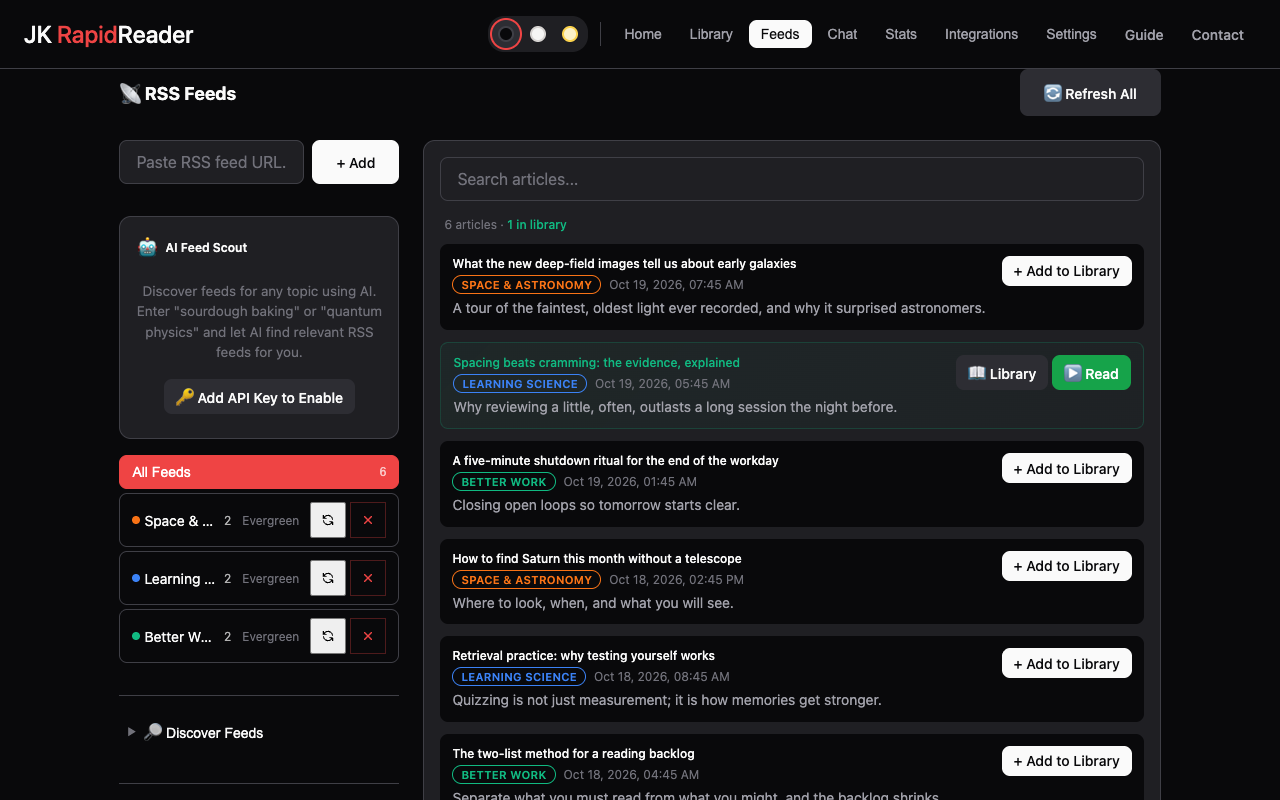
Add a site or a feed and refresh when you are ready. Search everything your feeds brought in, and save the full text of what you want to keep.
- A directory of feeds by category
- Feed Scout: describe a topic and AI suggests feeds
- Saved searches across every feed
- Full article text when you add an item
04 — Ask
Chat with a whole book, not just a page.
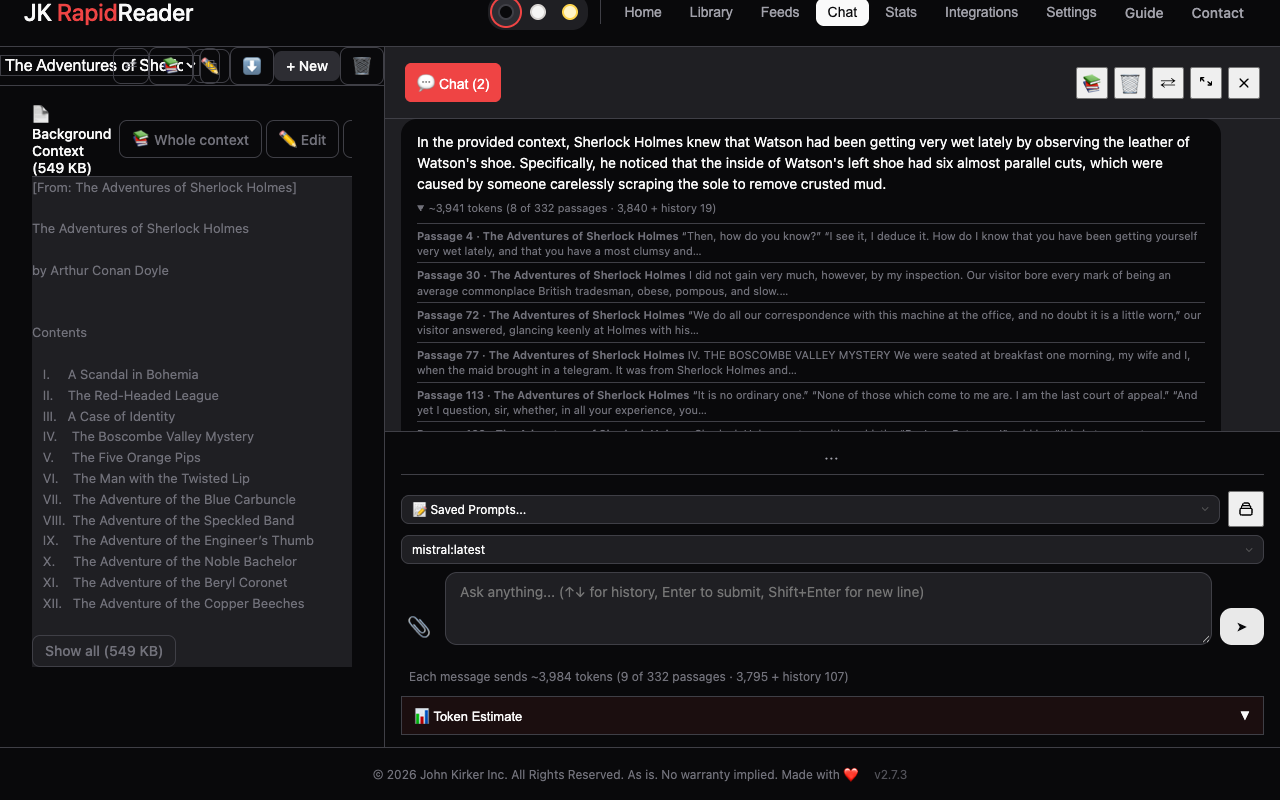
Give a chat a book, a report or a stack of articles as its background, then ask. For long documents RapidReader sends only the passages that matter to your question, and tells you which.
- Claude, ChatGPT, Gemini or Grok with your own key
- Ollama: free AI on your own computer, nothing leaves it
- The cost of each message shown before you send it
- Summaries, quizzes, flashcards and key takeaways
05 — Make it yours
Dark, light or sepia. Fonts that help.
Change the theme, font, size and spacing. One switch turns on settings that help many dyslexic readers. See the next word coming, or read a few words at a time.
- Dyslexia-Friendly Mode and dyslexia-friendly fonts
- Focus styles, word alignment and bolded reading
- Peripheral Preview and Chunk Mode
- Gentle sounds, or none
A minute long
See it working.
Saving an article, reading it, listening to it, and asking about a book, in sixty seconds.
And the rest
Small things that add up.
01
Listen
Read to Me reads aloud and highlights each word. Free voices on your computer, or natural AI voices with your own OpenAI key.
02
Notes where you were
A note is tied to its exact place in the text. Click it and you are back there. Bookmarks too.
03
Quizzes and flashcards
Check what stuck. Multiple-choice quizzes with explanations, flashcards and key takeaways, saved with the article.
04
Clean up messy text
One click removes menus, ads and leftovers. AI cleanup tidies a badly formatted document.
05
Chapters and search
Books get a table of contents and next and previous chapter. Search jumps to any word.
06
Freshest first
Old news sinks while a good tutorial stays near the top. Each item is News, Evergreen or Reference.
07
Stats
Your streak, words this week against a goal you set, your speed over time and when in the day you read.
08
Readwise
Send articles and your notes to Readwise.
09
Keyboard first
Space, arrows, R, S, T and B. Press ? for the full list. Works with screen readers.
Straight answer
What speed reading can and can’t do.
Reading one word at a time removes the eye movements between words, so you can go faster. It does not make understanding free: at high speeds you keep less detail, and you can’t glance back at a sentence you missed.
So use speed where it helps: getting through the articles you saved and never opened, a first pass over a report, the news. Slow down for what matters, open View Text to see the whole page, and take a quiz to check what stuck.
Your data
Your library is a folder of files.
Every article is a plain Markdown file in a folder you choose, with its notes, quizzes and chats beside it. Back it up or sync it like any folder, or open it in Obsidian.
There is no account and no tracking. The extension sends nothing to us. AI requests go straight from your browser to the provider you chose, with your key, and Ollama keeps everything on your computer.
Get it
Free. No account, no subscription.
Install from the Chrome Web Store, or download the zip and load it yourself.
Occasional news
A short email when there is a new version worth knowing about. Nothing else.